Before You Begin
Gently clean the Scan Surface as needed, especially when using samples that might make the glass dirty.
It is very important that the glass is free of smudges, dust, and dye before placing plates or dishes onto the LICORbio Atlas Imager. Samples in contact with the scan surface may contaminate it, causing blotches and streaks that can be difficult to remove.
Clean the LICORbio Atlas Imager Scan Surface
-
When cleaning the Scan Surface, leave the Sample Enclosure in place on the Scan Surface.
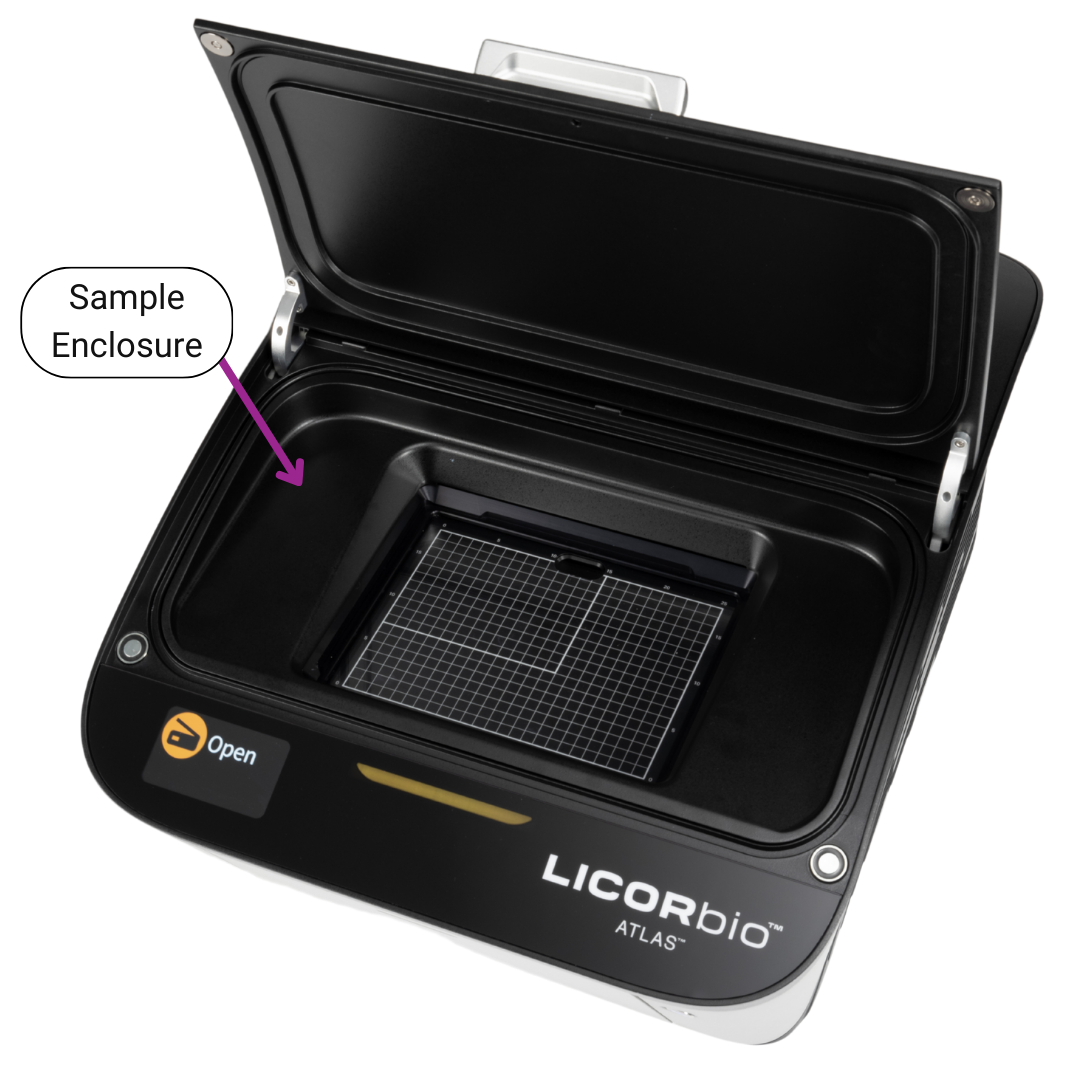
Figure 83. -
Thoroughly clean the glass Scan Surface and the metal frame surrounding the Scan Surface with ultrapure water and wipe with a lint-free tissue.
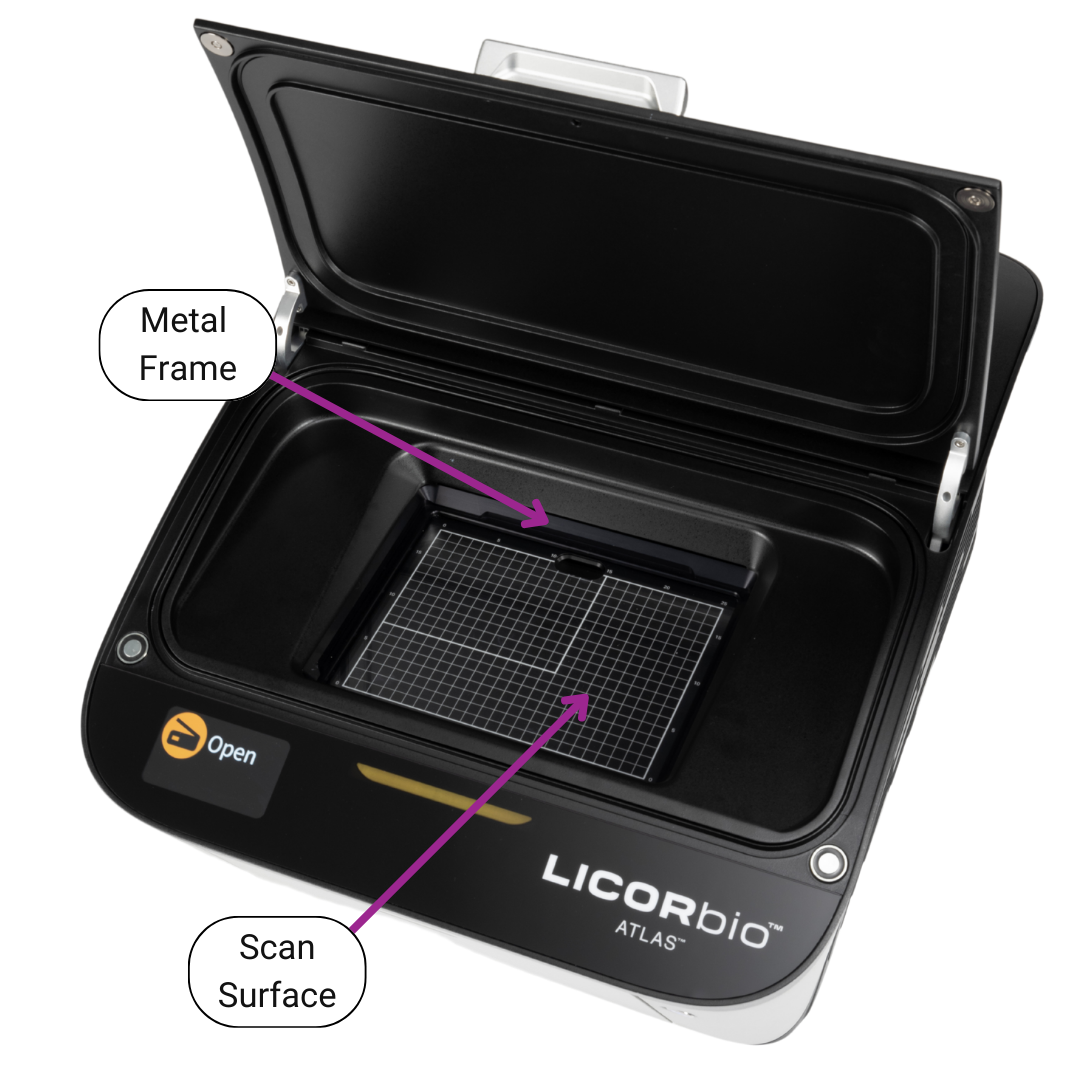
Figure 84. Do not use scouring compounds or abrasive scouring pads. The glass can scratch, which can affect the scanned image.
-
Repeat the wash with 70% ethanol to remove any visible smears. Use methanol to remove any remaining residues.
Do not get ethanol or methanol on the Sample Enclosure or on the outside of the imager.
Computer Connections and Networking
Note: Use only the supplied Category 6 network cable to connect the LICORbio Atlas Imager and computer.
When Image Studio starts, it searches for and discovers any LICORbio Atlas Imager automatically. If only one imager is found, Image Studio establishes communication. If more than one imager is found, you will be able to choose which imager you want to connect to on the Image Studio Connect page.
If you do not see your imager in the list, click the link on the Connect page that says My imager is not in the list to view troubleshooting steps. For information about contacting Technical Support and locating Image Studio log files, see Obtaining Technical Support.
Continuous Operation
The LICORbio Atlas Imager is designed to operate continuously. During idle times, the LICORbio Atlas Imager can remain powered on or be powered off at your discretion. LICORbio recommends keeping the instrument powered on, as it requires a warm-up period after power up before it is ready for use. See Imaging System Specifications for more information about how much current the LICORbio Atlas Imager draws. For information about disconnecting the power, see Before You Begin.
Disconnecting the Power
Do not press the power button or unplug the power cable while the system is scanning, except for an emergency situation.
-
Exit Image Studio.
-
Briefly press the Power button on the front panel to power off the LICORbio Atlas Imager.
-
Unplug the power supply from the wall outlet. You can then unplug the power supply from the back of the LICORbio Atlas Imager.