Installation
Placement in the Laboratory
The Odyssey XF Imager weighs approximately 27 kg (60 lbs). The instrument should be placed on a laboratory bench that is level and sufficiently sturdy to bear the instrument's weight. The bench should also be able to bear the weight of the computer if the computer is to be installed beside the Odyssey XF Imager.
The Odyssey XF is intended for indoor use only.
Ambient Laboratory Conditions
Place the Odyssey XF Imager away from external heat sources (furnaces, windows, etc.). Additional heating can cause high temperatures within the enclosure. Place the instrument away from sinks or other sources of water that pose a shock hazard. Recommended operating conditions are and a dew point not greater than 22 °C to prevent condensation on the laser assemblies, which are cooled during operation.
Instrument Ventilation
The air intake fan on the back of the Odyssey XF Imager (Figure 77. ) is used to cool the internal electronics and maintain fresh air circulation throughout the internal volume of the instrument. The air intake is filtered and the filter should be periodically cleaned (see Routine Maintenance and Cleaning). Make sure there is plenty of room behind the instrument so that the air intake is not blocked and the filter is easily accessible for cleaning.
Space Requirements
The Odyssey XF Imaging System requires an area 41.4 cm W (16.3") × 47 cm D (18.5") × 67.3 cm H (26.5"). Depth with the imaging drawer open is 59.7 cm (23.5”).
Level the Imager
Level the imager to prevent the imaging drawer from scraping on anything and to keep the imager from tilting.
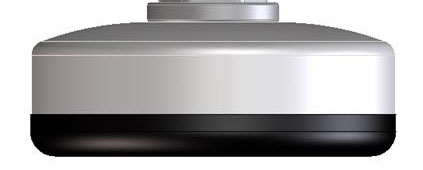
The instrument can be leveled by turning the threaded metal inserts located in each of the 4 plastic feet (Figure 73).
|
|
|
Electrical Considerations
Power Cords and Disconnecting Power
The Odyssey XF Imager is equipped with a 3-wire grounding-type plug. This plug will only fit into a grounding-type outlet. This is a necessary safety feature. If you are unable to insert the plug into the outlet, you will need to replace the outlet. Do not defeat the purpose of the grounding-type plug.
Do not locate the Odyssey XF Imager where the power cord will be walked on or exposed to water or chemical spills.
The Odyssey XF Imager draws a maximum of 4 amperes at 120V (see Odyssey® F Imager Specifications). If an extension cord is used, make sure the total of the ampere ratings on the instruments plugged into the extension cord does not exceed the extension cord ampere rating. Also make sure the total amperage of instruments plugged into the wall outlet does not exceed the amperage capacity for the outlet (usually 15 or 20 amperes in the United States).
Disconnect power before servicing.
Débrancher le pouvoir avant d'entretenir.
See Figure 69. for the location of these statements on the product's regulation compliance label.
Fuse Replacement
There are no user replaceable fuses in this instrument.
Chassis Ground Access Hole
To eliminate the potential for ESD damage during service, a hole on the side of the control module provides a chassis ground (Figure 70. ).
Moving the Imager
LI‑COR recommends that you do not move your imager. Instead, please contact LI‑COR Technical Support for options.
LI‑COR cannot be held responsible for any damage incurred while moving, transporting, or shipping the